







All Our Tips
How to Read Case Citations

An important legal research tanslation skill is the ability to look at a case citation and understand what it means. Today’s Tip is in honour of the forthcoming 8th edition of the Canadian Guide to Uniform Legal Citation.
There are plenty of resources on legal citation, but these tips will help when you decipher citations:
- round brackets at the beginning of a citation give you the year that the decision was released
- square brackets at the beginning of a citation mean that you need the year in order to find the correct volume of the reporter to locate the case
- digests case citations look the same as citations for full text decisions (ACWS is a digest – All Canada Weekly Summaries; so is AWLD – Alberta Weekly Law Digest)
- neutral citations are generally only available for decisions from 1998 and newer
- if you can’t figure out what is being cited, search the Cardiff Index to Legal Abbreviations
- cases sometimes change names as they move through various levels of court
Did I miss any tips?

You Can Ignore “Low on Ink” Warnings on Inkjet Printers

All too frequently, we have all faced the frustrating “printer is low on ink” warning – usually when we are printing something urgent.
Do you need to immediately change 
your cartridge? No. If, despite the low ink warning, you are still getting good quality print jobs (i.e., no fading or streaking), carry on printing. In most cases, you will be able to print a few, several or even more pages without problems. Change your cartridge only when the quality of your print jobs starts to decline.
11 Tips on Building a Law Firm Website

Are you thinking of building (or updating) your law firm’s website?
As my firm begins an overhaul of our ten-year old site, I’ve certainly learned it can be a bit of a daunting task.
Website-building for lawyers has become considerably more complicated over the last decade. The public has become much more sophisticated in its expectations of professional websites and the extension of law firms’ online presence, beyond websites to blogs and social media, creates challenges for firms seeking to maintain a consistent message and identity online.
There is no “one size fits all” solution or template that will meet every firm’s needs. Nonetheless, it will be a good idea to keep the following guidelines in mind when updating or building your law firm’s website:
- You are writing for people, not Google. Besieged as we may be by magical claims to the contrary from the search engine optimizing (SEO) industry, trust me on this – online success is not about keywords and inbound links alone. In fact, Google is increasingly less tolerant of those who try to game it with robot text and suspicious links. Speak to your real, human readers in your online text. If you share your professional knowledge in your own user-friendly voice, your writing will inevitably be rich with search-engine-friendly keywords without you even trying – and people, along with search engines, will find you.
- Give real attention to your firm’s branding and your website’s graphic design. Identify your audience. Craft a central theme or message. Maintain positivity. Create a modern, crisp professional “look.” And frankly, consult with marketing and design professionals.
- Dare to be different. Avoid overused graphic cliches like briefcases, handshakes, pens poised to sign, and the ubiquitous scales of justice. Oh, and ambulances too – no ambulances, ok?
- Content remains king. Fill your website with high-level, plain-English legal information regarding your areas of practice and interest. The more content, the merrier. Not only will the public learn about the law from your website (and that is typically why they are searching online), the public will also be learning about your firm’s legal expertise.
- Integrate your website with your other social media properties. Prominently display links to your blog, LinkedIn, Google+ and Twitter pages, especially if they are frequently updated with new posts. If you have blog posts that are relevant to your areas of practice, make them easy to find on your website. Try to maintain consistent branding, logos and design themes across all platforms.
- Use photos and video. The best modern legal websites often feature compelling images and topical video presentations to create interest, demonstrate competencies and enhance readability. Use multimedia to reach a wider audience and build on your firm’s central messages.
- Navigation should never be an afterthought. Ensure it is easy to get to key pages on your website from your home page – and from every page.
- Get professional headshots done and be creative with your firm’s professional biographies. Ensure that you include contact information, Skype particulars and an email link with each biography. Make it easy for clients and prospective clients to reach you.
- Keep it real. Your firm’s online personality should be authentic and it should closely align with your firm’s genuine offline character. Identify your firm’s strengths and points of difference – whether they involve client service, specific competencies, or your lengthy history of successes – and tactfully emphasize them online. Don’t try to clone someone else’s online presence. Above all, be yourself on your website.
- Consider including a password-protected client portal on your website. Client portals can be employed to enable clients to retrieve documents and perform accounting functions online. This is the way of the future. In the decade ahead our websites will increasingly become hubs of interaction, communication and professional activity, rather than educational and marketing vehicles, alone. Needless to say, if you intend to be an early-adopter in this direction, ensure you have the best professional guidance on maintaining security in all transactions and interactions.
- Ethics, ethics, ethics. Your law society’s professional conduct rules provide regulatory guidance on the do’s and don’ts of legal marketing and online professionalism. In short, read the Rules applicable to your province or territory and take them to heart. When you follow them, you make your firm – and all of us – look good.
Happy web designing.
– Garry J. Wise, Toronto (@wiselaw on Twitter)
Look a Little Harder
Today’s Tip is inspired by my colleague Jane Symons. As we occasionally do, Jane zipped out to another library to borrow a book for one of our lawyers – yes folks, print is still necessary for legal research. She was looking for something in a government documents collection – yes folks, that is correct, not all government documents are on the interweb. The item was not where it was supposed to be on the shelf.
Jane says the library gods were smiling on her when after carefully scanning each item on the surrounding shelves she happened to glance a several stacks away and noticed the item on the shelf. I say she was practicing excellent librarianship by not stopping her search when the item wasn’t where it was expected to be.
Never give up, never surrender. While that phrase quotes an ongoing joke from a fictional TV show, it does reflect the persistence that searchers should bring to legal research tasks.
Don’t Waste Your Money on Expensive HDMI Cables – the Cheaper Ones Are Just Fine
After spending money to buy a new TV, you want to do everything you can to get the best possible picture. One of the tempting additional purchases – often pushed on you by the salesperson – is an expensive gold-plated HDMI cable.  They come in large fancy packages and with big price tags – up to $100.
Are they worth it? No – save your hard-earned money for something else. You will get a decent picture with the basic $20 cable. For longer runs – 3 or more metres – best to stay away from the real cheap no-name cables, but you should be fine with a basic brand name cable.
Management, IT and Law Firms
♫ Doin it right, doin it right
Doin it right, doin it right
The blues bands cookin and the drummers burnin down
Doin it right on the wrong side of town!!! ♫
Lyrics, music and recorded by the Powder Blues.

Law firms like to think that they do things rather well. Exceptionally well, as a matter of fact. Particularly the biggest ones.
Only problem is, not everyone agrees with that perception. Take Casey Flaherty for example. Casey just happens to be the General Counsel at Kia Motors America. In his words (and this is an exact quote) “Lawyers see themselves as Tom Cruise but most of their work is drudgery.. and they suck at using computers.”
His proof? He gave a mock assignment to lawyers that he knew should take no longer than 30 minutes to complete.
He has devised a technology audit that he gives to firms before he engages them to test their technology competence. We are not talking sophisticated legal tools here. Casey is testing knowledge and use of basic Microsoft Office applications such as Word, Excel and Adobe Acrobat.
From the ABA Journal article by Casey Flaherty himself, he stated:
Sample tasks include:
(a) formatting a motion in Word,
(b) preparing motion exhibits in PDF, and
(c) creating an arbitration exhibit index in Excel.
The specific tasks, however, are of little importance as they are designed to test general skills. The foregoing examples could just as easily be:
(a) formatting a contract in Word,
(b) Bates stamping a document production of PDFs, or
(c) isolating pertinent performance data in Excel—or, really, any of the other myriad, routine, low-value-added tasks that lawyers regularly complete on their computers (or should).
He has given the audit 10 times. All firms failed…some spectacularly. Both the median and mean was 5 hours.
What does he have to say about the audit results?
My claims are much broader: a lot (of waste exists in the legal system) and enough (of that waste is attributable to technological incompetence to make this a problem worth addressing)
The real issue is that law firms (and particularly the largest ones) have absolutely no incentive to have their lawyers increase their technological knowledge. So long as they bill by the billable hour – meaning there are no competitive pressures forcing them to acquire greater skills, this situation will exist. The greater hours put into a file translate to a bigger bottom line.
There is something very very fundamentally wrong here. No other business or profession has been allowed to languish on the borders of technological incompetence and still be in business. Most if not all other business would have been driven out of business by failing to meet mounting competitive pressures.
Is there a correlation here with Access to Justice? The middle class have been claiming that lawyers are far too expensive and out of reach for their typical legal problems for some time now.
I wonder just how long the public will stand by before they start to call for fundamental changes to the legal system in order to bring about the changes that they desire. My co-author for this column, Garry Wise of Toronto, in reviewing this article stated that:
But in fairness to Canadian lawyers, in part, without paperless courts and automated systems for court and other filings, there is even less incentive for us to master the skills that would be necessary to put electronic documents together. Our system simply doesn’t require that we prepare or know how to complete effective “non-papyrus” documents.
I agree with Gary ..the solution is not piece-meal. We have to address the entire workflow of how we produce, serve, file, share, store, search, and archive legal documents. I was presenting at a CBA Immigration conference in Vancouver last week and my co-presenter Laura Best a lawyer at Embarkation Law Group asked the attendees how many people in attendance filed electronically in federal court. Only a handful of hands went up indicating that even where e-filing is possible, lawyers are not getting on the bandwagon (Laura happens to be one of the biggest users of e-filing here in BC, I understand).
This is a knowledge management issue, it is a management issue, it is an issue where all the players in the room have to come to the table to brainstorm on how to change not only behaviours but the system itself to encourage lawyers to bring about the necessary change.
The call to arms here for lawyers, law firms and regulators is to prod, push, cajole and otherwise mandate greater change before this change is thrust upon us. We have to become students of change and move with the technological times. Management of firms should not stand by and simply be satisfied with the status quo. They should be bringing in IT training (complete with tests and assignments) to ensure that their lawyers are up to speed on at least basic technological tasks. There are no lack of trainers and programs, both in house and available thru consultants for this to occur. Furthermore, court administration, judges and tribunals should be right on-side and equally looking at how their systems can be improved to increase efficiencies and effectiveness.
Perhaps another message for general counsel like Casey Flaherty is to look for smaller firms that could do it right…even if they come from the wrong side of town….
-David J. Bilinsky, Vancouver, BC.
Check the Facts
This post first appeared on Slaw July 2, 2009 and it is still relevant advice.
In this world of super fast document retrieval it is sometimes important to remember the basics. I was just asked for a decision where the style of cause and the citation both contained errors. The “help I can’t find this case” is usually one of my favourite problems. This Thursday after a mid-week Canada Day off is a lot like a Monday.
The citation that was given to me was a 1983 case from the O.L.R.s – obviously that was incorrect as the Cardiff Index to Legal Abbreviationreports that the Ontario Law Reports was published between 1901-1931 only. Rather than plugging in a citation in to the for fee electronic research service of your choice, remember to check the facts. (Yes I will be writing off the find fee).
The style of cause had a spelling error. What I should have remembered to do once I identified that the citation had an error is browse the Canadian Case Citations or the Canadian Abridgment Table of Cases for the style of cause to identify the case. Browsing a compact list like the CCC would have quickly showed a close match to the case name AND provided the proper citation. Knowing that the good research skills of the lawyer who gave me the problem would have included a full text search on CanLII for elements of the style of cause as a full text proximity search should have been a clue that there was a typo.
Just a few tips for this fine summer Thursday.
Enjoy this Winter Wednesday research tip redux.
Create a Play List to Help Yourself Fall Asleep
Not sure if the experts will say this is a scientifically helpful idea for falling asleep (IMHO it seems better than just counting sheep), but sometimes you will want to listen to music as you (hopefully) fall asleep. 
But how do you set things up so you aren’t stuck listening to music all night? Just create a playlist for the songs you want to listen to – even if it is just one song. You get silence – and hopefully sleep – when the playlist is done. Here’s to falling asleep faster!
And a bonus tip: If you want a good mellow suggestion for your falling asleep playlist, consider the third movement from the Second Symphony by Russian composer Sergei Rachmaninoff. You might recognize it (if you were born before 1960) as the melody of “Never Gonna Fall in Love Again” by Eric Carmen (great live version with great hair in this video).
Rediscovering the Art of Dictation on Your iPhone
After months of nagtext messages from my cell carrier, all promoting my available hardware upgrades, I finally made the move several weeks ago and switched to a sparkling new iPhone 5s.
I wasn’t much interested in the new (for me) Siri functions, to be honest. I had long ago lived through my friend’ eager demonstrations of Siri’s amusing ability to handle their obscene test questions with digital grace. There was little novelty left.
Little did I realize that the technologies associated with Siri would ultimately be a pathway for my rediscovery of the long-lost art of dictation.
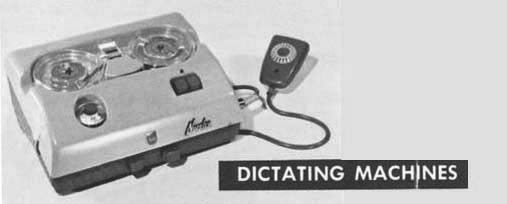
Back in “the day” when I first started practicing law, most lawyers dictated their written work. Old-fashioned dicta machines had been rather large and clunky appliances, but by the time of my call, battery driven machines equipped with micro-cassette tapes were the norm. They were a bit smaller than the current iPhone, but twice as heavy.
Typical workflow involved lawyers dictating on client matters, and then handing off the tapes to our assistants. They would transcribe these tapes on their electric typewriters/early generation DOS computers, and when the tape was done, return completed, typed drafts to the dictating lawyer for review.
Since revisions to these drafts mostly involved either messy, liquid white-out solutions or re-typing of entire documents, it was in the dictating lawyers’ (and assistants’) interests to get it right the first time. With practice, we mostly did.
I remember well, those Sunday afternoons I spent in my early offices, nearly straddling my filing cabinet as I rifled from file to file to file, dictating updates, reports, follow-ups, and even pleadings on each and every active matter.
As I completed dictating on a matter, I would place its paper file atop an ever-growing pile, which would be left for my assistant when all dictation was done, with tape perched on top (like a little cassette crown).
I’d feel a nearly devious sense of satisfaction, anticipating the looks on my assistants’ faces as they encountered these formidable Monday morning piles, knowing they’d be thinking, “I’m never going to get through all this stuff.”
Back then, that felt like productivity.
I tell this long tale of the past, knowing that over time, with the advent of desktops, laptops, notebooks, smartphones, and tablets, we lawyers were blessed with very effective tools to do our own typing, and little by little, dictation fell out of fashion, in my practice at least.
My new iPhone has changed all that.
What started with the rather annoying problem of a narrower keyboard that kept me clunkily hitting the microphone button in error (as I searched in vain for commas and semicolons), evolved into a re-discovery of the art of dictation, and a parallel reawakening as to just how efficient and effective a workflow tool it can be.
As you will see in the attached video, the iPhone makes it all so easy. Simply click on the microphone icon on the bottom of your keyboard, speak away, and when you’re done, the iPhone will miraculously transcribe it all before your very eyes.
(In case you’re wondering, I used my old iPhone to make the video of my new iPhone).
Dictating well is a discipline, and probably will take some practice. But I think you will see that as you master dictation, the words will flow more easily and coherently. Beyond that, ideas and insights will emerge as you literally ‘think aloud.”
Dictation may well be anathema to those who prefer a cut and paste world of fill-in-the-blanks and templates. I like those too, but frankly find that when I dictate emails and more complex documents, both the quality of my work and the detail I am able to include are superior.
Perhaps that’s because I speak more quickly than I type, and it’s simply faster and easier to dictate.
But I also find that dictation engages a different form of mental activity than typing. It’s more like free-flowing conversation or oral argument, as opposed to the distracting mechanical concentration that is necessary for typing on a keyboard, especially a tiny, mobile keyboard.
In any event, I’ve once again started to dictate in my practice. I’ve been using my iPhone to dictate emails, reporting letters and memos, in particular.
And the good news is there is no danger to the assistants in my office that the renewal of my affections with dictation will ever again leave them with insurmountable, Monday morning towers of files, tapes on top, and a full week’s worth of rote work awaiting.
The iPhone handles all that, instantly, and they remain freed up to do far more serious tasks that add real value to our collaborations.
So Today’s Tip is…
Use your iPhone to rediscover the joys of dictation.
It may make your life easier and your work better. It may even help you get to inbox zero (and inbox hero).
– Garry J. Wise, Toronto (@wiselaw on Twitter)
Patience Required
Today’s Tip: wait with patience.
I often find myself using curse filled phrases when everything (websites, videos, my Blu-ray player, my Starbucks app) is too slow to load. That little rotating circle symbol, the hour glass, even PayPal’s rounded square that ticks away while the web does its thing drive me nuts, nuts, nuts. When my children slide the symbol to answer my phone calls and don’t speak immediately, we have (annoying to them) conversations about appropriate telephone etiquette.
This 4:11 YouTube clip of comedian Louis C.K. with Conan O’Brien “Everything’s Amazing and Nobody’s Happy” shared by Jason Thomas in his LegalTech 2014 keynote was a fantastic reminder to have a little patience.


