







All Our Tips
World Backup Day

♫ Get back, get back.
Get back to where you once belonged…♫
Lyrics and music by Lennon–McCartney, recorded by The Beatles.
Tuesday March 31, 2015 is World Backup Day. I think it is important to focus on this often neglected task as it is often lost in the hustle and bustle of getting the work out. But with the recent attacks of ransomware on all types of businesses, law firms included, having a proper back up that is not infected has assumed increasing, if not vital, importance.
Furthermore, having a proper backup is not just for your business. Consider all your digital photographs and personal files..how would you feel if they were lost?
So the focus of this article is to motivate you to implement backup solutions at your office and at your home.
Why back up?
- Protection against malware, viruses and trojans including Cryptowall and other ransomware (1 in 10 computers infected with a virus each month, according to ICSA Labs/TruSecure, 2002)
- Protection against disasters, either man-made (pipes bursting and the like) to natural disasters such as storms, lightening and such.
- Preservation of precious memories that once gone, are gone.
What are the best practices when it comes to back ups? Here is a list of some things to consider.
- Have a data retention plan
- Without a plan, you are left to haphazard backups. The worst time to realize that you don’t have a current backup is precisely when you need it most.
- Plan for increasing amounts of data
- Your storage should be scalable since you will be generating increasing amounts of data in the future.
- Ensure that your current system can be scaled up to handle greater and greater amounts of data without any disruption in your office.
- Have a redundancy plan – backup your backup
- What if the same disaster hits your backup as well as your systems?
- Consider having both a physical backup in your office and a cloud based backup that is unaffected if your office is hit with a disaster.
- Have your data readily available
- Cloud backups are wonderful as a ‘last resort’ but they do take time to download.
- Consider having a local NAS or other device in the office just in case your servers fry and you need a fast locally accessible copy of your data.
- Data security and integrity are priorities
- Always consider physical security and data security.
- Follow best practices in data security.
- Consider backups and archival copies
- Backups are snapshots at any point in time
- Archives are historical records – unalterable and therefore important if you need to go back and show what happened when.
The important thing to consider is your risk management position. Have you considered the cost of restoring your data and the potential of losing vital data and having to explain that to your clients? You may perceive the incidence of loss to be low, but the cost of recovery can be very high indeed. In fact not having a proper backup may result in a significant disruption of your business or even its failure.
If you suffer such a loss, you certainly want to be able to go back to where you once belonged.
-David J. Bilinsky, Vancouver BC.

Research Service Terms of Use

We live in a world where it is generally acknowledge that even though many web services that we use have terms of service, nobody reads them. Stop that bad habit right now. Especially for fee based legal research services. Do you understand what you have agreed to when you use WestlawNext Canada or LexisNexis Quicklaw?
By highlighting this as Today’s Tip I am NOT suggesting that fee based research services are inherently bad – I believe the opposite – I would not want to perform legal research for clients without a subscription to a fee based research service that delivers excellent value added content to my screen.
Today’s Tip IS intended to remind every searcher (not just the law librarians) to understand the license agreements so that they adhere to the terms. Most often, your firm’s law librarian will hit the highlights during training. The WestlawNext Canada License Agreement and LexisNexis Quicklaw Terms & Conditions are available from the sign on pages.
CanLII (and every other legitimate web service) offers Terms of Use as well. Pay attention to this:
Users remain responsible for checking whether the intended use of the documents is authorized.
Knowledge is security – seek it out.
Late Lawyers (And Other Musings)

New York City’s embattled, progressive mayor, Bill de Blasio, has in rapid order acquired a bit of a reputation for failing to arrive on time. His tardy tendencies have even launched a new cottage industry in the press, the “De Blasio was Late Again” outrage-of-the-day story.
Late for a St. Patrick’s Day mass. Late for a plane crash memorial service. Late to a police officer’s wake. Late for an event in his own home. Gosh, even late in responding to a snowstorm.
Naturally, the most civic minded among the journalistic order have taken it upon themselves to be solution-oriented. Thus, we are not surprised at the inevitable spawning of a sub-genre of well-intentioned suggestions for the Mayor, such as How Not to Be Late: A Self-Help Guide for Bill de Blasio.
There is even a Bill de Blasio “Lateness Excuse Generator” (pictured above), where technology meets tardy, and perpetually late landers can have appropriate mayoral excuses created for immediate use on virtually any occasion.
Now back home, here in the legal profession, lateness can be serious business, particularly in America.
A repeat-offending Texas lawyer was suspended this past January for being 30 minutes late in filing a death penalty stay petition. In 2008, a Los Angeles defense attorney was jailed for two days after arriving late for a sixth time at court. Sanctions and fines were the fate of a “punctuality-challenged” Bronx defence lawyer in 2007.
The Canadian attitude toward tardy lawyers is, predictably, somewhat more measured. As noted by Robert Bell and Caroline Abela in a 2009 paper for the Advocates Society, A Lawyer’s Duty to the Court:
Being late for court, although highly irritating and a waste of time, is generally not conduct that is considered egregious and neglectful of a lawyer’s obligation. However, in our view, tardiness is a breach of a lawyer’s duty to the courts because it, among other things, causes delay and disruption to the court process. Tardiness effects the administration of justice. For example, in LSUC v. Ducas, the Law Society hearing panel found, inter alia, that the lawyer had breached his duty to the court by appearing 25 minutes late for his own motion by which time the motion had been dismissed.
In fact, recent rulings in Ontario make it clear that even the bench must avoid precipitous action in the face of tardy counsel.
For example, note the 2014 case of Justice of the Peace Alfred “Bud” Johnston:
The Justices of the Peace Review Council upheld two complaints against the Old City Hall JP: that he was “arrogant and sarcastic” when courier Alexander Leaf appeared before him without a lawyer on Nov. 22, 2012 to fight a charge of driving with a handheld device; and that he abused his position by dismissing an afternoon session of 68 charges on Dec. 4, 2012 because the prosecutor was one minute and 10 seconds late.
Similarly, in 2012, Ontario Court Justice Howard Chisvin was reprimanded by an Ontario Judicial Council panel for summarily dismissing 33 charges for “want of prosecution” after a Crown was briefly late in returning from a recess:
The prosecutor, Brian McCallion, had been preparing for one of the cases by reading a psychiatric report on one of the accused people and didn’t hear several pages for him.
Court records show that after court had reconvened, the judge waited all of one minute and 27 seconds before throwing out the entire docket.
Now, to be clear, your faithful writer has perhaps also had the “occasional” tardy moment. This is by no means a point of pride. It might, however, inform the interest with which I view these developments in mayoral, lawyerly and judicial timeliness.
For late-at-heart lawyers, I am glad to note there remains hope when confronted with the challenge of improving time management in an era of of Too Little Time. Via Good Housekeeping writer Frances Lefkowitz:
WHY YOU’RE IN THIS FIX: “There are so many misconceptions about lateness,” says time-management consultant [Diana] DeLonzor. Top false assumptions: People who are late are inconsiderate, selfish, controlling, lazy, or looking for attention. In fact, many people who run late have trouble accurately judging time and thus underestimate how long things will take. Psychologists call this the planning fallacy — and it’s part of being human. “We have an idealized version of how things go,” explains Steel, “and we edit out how much time things actually require.” Chronically late people fall prey to the planning fallacy in spades, misjudging the time needed even for things they do regularly, like fixing breakfast or driving to work. Call her optimistic, idealistic, or unrealistic, but if a person who tends to run late once got to work in 19 minutes — on a good traffic morning, catching all green lights — she assumes she can bank on this swift journey every day. “Late people time things exactly, according to the best-case scenario — but of course the world doesn’t work that way,” says DeLonzor…
SIMPLE WAYS OUT: First, confront your magical thinking with cold, hard facts: Spend a week timing your daily tasks — what DeLonzor calls “relearning to tell time.” Once you know how long it really takes to shower, get the kids dressed, and feed the dog, you can adjust your schedule accordingly. Second, always plan to arrive early, factoring 15 extra minutes into every trip. Chances are you’ll end up on time; in the worst-case scenario, you’ll have a few minutes to relax, get a drink of water, and fix your hair. Like Hall, late people often view time spent waiting as time wasted. But if you carry a book, knitting, or your cell phone, you can use a few extra minutes productively. Finally, have a strategy for each day. “A lot of people with time-management issues don’t have a clear sense of how their day is going to pan out,” says DeLonzor. So make a list, with your revamped time estimates written next to each item. Then you’ll be able to tell if you’ve scheduled 30 hours’ worth of activity into a 24-hour day.
Today’s tip logically follows. Address any tendencies toward lateness by taking a hard look at your time management. In particular, assess the accuracy of your estimates about the time required to complete tasks and to get from point A to B.
That is worth thinking about.
As they say, better late than never.
– Garry J. Wise, Toronto (@wiselaw on Twitter)
Watch for Edits of Not Yet in Force Acts
Once in a while a legislature will pass an act and then make amendments to it before it comes in to force. Just when you think you have everything figured out….
An example of this from Alberta is referenced in CanLII as Education Act, SA 2012, c E-0.3 , [Not yet in force] along with Bill 19 the Education Amendment Act, 2015 introduced yesterday in the Alberta legislature.
Today’s Tip: IF an applicable statue is not yet in force check for amendments to it.
Once Bill 19 passes (fairly obvious for a majority government unless an election is called before the progress of this bill is complete), you would see references for pending amendments to pending acts in the Table of Public Statutes. Look to the legislative assembly or parliament websites for bills in progress too.
These and other intricacies of legislative research questions may lead you to delegate this type of picky, tricky work to your favourite law librarian. There is no shame in that choice!
2015 Solo and Small Firm Legal Tech Guide
♫ How can i go forward when I
don’t know which way to turn?
How can i go forward into
something
I’m not sure of? oh no, oh no…♫
Lyrics, music and recorded by John Lennon.
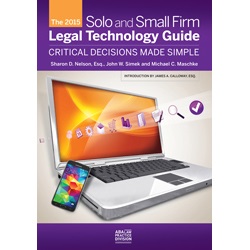
2015 ABA book Solo and Small Firm Legal Technology Guide has just been published.
John Heckman, a long-standing and highly acclaimed legal technologist, has published a review of the book. I felt the review was a good one and here it is with his consent:
Does It Compute?
John Heckman’s Take on Practice and Document Management, and Other Legal Technology
February 23, 2015
Solo and Small Firm Legal Technology Guide
This is the eighth yearly edition for the Solo and Small Firm Technology Guide by Sharon Nelson, John Simek and Michael Maschke. There are also very useful chapters by Jennifer Ellis on social media and in particular security, privacy and ethics considerations in using them and on the “iPad for Litigators” by Tom Mighell and Paul Unger.
Why should you read this book? There are two reasons. Obviously if you are starting up a small firm or considering upgrades it provides invaluable advice. There is a second reason, perhaps even more important. As Jim Calloway notes in his introduction, the ABA revised its Model Rules to require that lawyers be competent with the technology tools they must use today. If you sometimes wonder whether the technology you use is actually productive for your firm or if you are losing ground to competing firms, reading this book will bring you up to speed and give you a pretty good idea of where your firm stands from a technology point of view, even if you choose not to make changes. Once, when I was working a law firm I proposed to one of the name partners that the firm adopt a particular program. He thought about it, and then said, “no, I don’t think we can do that at this time, but keep the suggestions coming because every program I don’t use represents a potential competitive advantage for competing firms.” Good advice.
Sharon Nelson sums it up even more harshly:
“The raw choice is that lawyers must choose between adaption and extinction. They will no doubt choose the former en masse, but reluctantly. The slower lawyers are to adapt to the digital age, the harder it may be for them to survive as events overtake them.”
This is particularly important in the rapidly-changing area of social media and dealing with the implications of the fact that there is no privacy any more (the combination of Google, Facebook and the NSA has effectively eliminated privacy). Be sure to read Jennifer Ellis’ chapter attentively.
As the authors note, since the book comes out at the beginning of every year many chapters remain current, other items are only a few months behind (although it seems longer than that in Internet time).
The thing I have always appreciated about this book is that the authors actually have opinions and are not afraid to express them. Of course, it also helps that by and large I agree with them, although with the occasional caveat. In addition, they cover what is necessary for a complete office starting from scratch – hardware, operating systems, peripherals, printers, scanners, monitors, etc. If you follow their recommendations you may not make the best decision possible, but you won’t make a bad one. The perfect is the enemy of the good.
The only point I have a serious problem with this year is their recommendation of Kaspersky internet security. I switched to Kaspersky last year and when it came to upgrade to the 2015 version it was a disaster. It regularly choked on downloading Outlook messages (I am not using Exchange) and would not release the memory. As a result I had to reboot my computer two or three times a day. A call to the paid Kaspersky support (which was very good) wound up with their saying “nothing we can do about it.” So I had to switch to a different program.
A friend of mine used to say “every year I know 10% more and fall 15% further behind.” Reviewing software is like that. The book simply cannot provide detailed reviews of software, so the authors stress the need to get trial versions of anything you are planning to use and “kick the tires” a bit.
The book rightly pays a lot of attention to security issues, especially for mobile devices. They quote the rather amazing statistic that 12,000 laptops were stolen in U.S. airports every week in 2011 (with Chicago in the lead). At the same time, they are realistic (“we know so many lawyers will ignore our advice…”) and offer fall-back options that may at least deter casual hackers or simple thieves who grab your laptop or smartphone. They strongly recommend against using iPhones based on its woefully inadequate security provisions. They rightly insist that the main way to protect your data is to encrypt your entire hard drive. If you do any substantial traveling not to do this is like never locking your door. You should definitely change passwords periodically (they refer to a judge who has had the same password for 10 years!!) or use a password manager or program such as eWallet. I just bought eWallet based on their recommendation and so far have been very happy with it.
I thought the section on Time & Billing applications was somewhat weak (although I certainly agree that QuickBooks is not a good choice for lawfirms). You might want to consult the “Buyer’s Guide to Legal Billing Software” published by Technolawyer for more choices (you need to subscribe to Technolawyer to get it, but subscriptions are free). I agree with their assessment of the decline of LexisNexis products, first and foremost Time Matters. They note that they have not done a single new installation in about 10 years.
Lastly, the book contains a chapter on “favorite utilities” which can be useful. Note however some more industrial strength programs may include functionality provided by single-function utilities. Thus for example, the using Worldox document management system would eliminate the need for a separate indexer or viewer.
The book is available from the ABA store. If you are starting an office, are at a point where you need to make a decision about where to go next, or just to want to keep up to date on what is currently available, this will be an invaluable primer.
Thanks John for a great review! Full disclosure: I wrote the chapter on Going Paperless.
This is a great book for anyone looking at upgrading their current office technology and are not quite sure which way to turn.
-David J. Bilinsky, Vancouver, BC.
Choose Deliberately
A fantastic post by Marc Lauritsen that came my way via the Attorney at Work Daily Dispatch inspired Today’s Tip. Marc’s post asked readers to think about recent decisions they helped make and whether they did a good job of choosing.
Choices are part of every aspect and many, many moments of every day. In terms of legal research, deliberate choice should be a decision point that you make with each research question, each search string, and most importantly when planning your research path.
As Marc suggests:
Be mindful when you find yourself facing a choice. Don’t just think about what you’re choosing; think about how you’re choosing.
Recognize that a choice is a project. You’ll improve your chances of a good result if you plan and manage it as such.
I have written here before about habits in choosing sources and habits in the way you use specific tools, but I like the way Marc articulates choice in his post.
Know That Smartphone (And the Data Stored Therein)
What data can be harvested from the typical smartphone? How can litigators utilize forensics to obtain this data for use in legal proceedings?
Two recent articles from Law Pro’s Tim Lemieux and Rob Lekowski of ABA’s Law Technology Today have looked at these questions and offer quite a bit of need-to-know information.
The typical mobile device retains information on the locations of all calls, all wifi-networks joined, photos taken, and apps that utilize location services. Text messages – even those deleted – will remain on the device until overwritten, as will browsing histories. Even encrypted data may be accessible.
And of course, there will also be all the usual email, documents and other app data that will be readily available from the device, without any forensic voodoo.
Four-digit passcodes present virtually no obstacle to forensics experts seeking access to mobile devices, according the the Lekowski article. Even a rudimentary Google search will yield an avalanche of results as to forensic software suites that are available to assist in data harvesting from mobile devices and the cloud-based mail and data storage applications they are connected to.
There has been much jurisprudence in a criminal law context as to the necessity of obtaining warrants prior to police searches of mobile devices. In R. v. Manley, a 2011 decision of the Ontario Court of Appeal, Mr. Justice Sharpe noted:
Cell phones and other similar handheld communication devices in common use have the capacity to store vast amounts of highly sensitive personal, private and confidential information – all manner of private voice, text and e-mail communications, detailed personal contact lists, agendas, diaries and personal photographs. An open-ended power to search without a warrant all the stored data in any cell phone found in the possession of any arrested person clearly raises the spectre of a serious and significant invasion of the Charter-protected privacy interests of arrested persons. If the police have reasonable grounds to believe that the search of a cell phone seized upon arrest would yield evidence of the offence, the prudent course is for them to obtain a warrant authorizing the search.
In a civil context, orders may be obtained for production of cell phones and hard drives for forensic analysis (see: Comisso v. York Regional Police, 2010 ONSC 3620), subject to assessments of relevance and proportionality that may significantly narrow or limit the scope of such analysis (see: Warman v. National Post Company, 2010 ONSC 3670). Further, the ease with which electronic evidence may be destroyed has been cited as a factor in considering the appropriateness of granting an Anton Pillar order for the seizure of computers and mobile devices (see: Irving Shipbuilding Inc. v. Schmidt, 2014 ONSC 1474).
While forensic analysis of mobile phones and their data will clearly not be appropriate on a routine basis in every case, counsel should consider whether such evidence is relevant and whether production for forensic analysis would be proportionate to the claims advanced. Further, bear in mind that such evidence can be exculpatory, and is not always damning. Consider whether your own clients’ mobile data could be of assistance in advancing their claims.
Our courts continue their attempts to find a balance between the protection of privacy and the temptation to litigants of the voluminous, potentially-relevant data on mobile and other electronic devices. As a result, determining whether mobile data is necessary and potentially discoverable must be included on the litigator’s to-do list in prosecuting a civil action.
So today’s tip: Know that smartphone – it might be litigation a game-changer.
– Garry J. Wise, Toronto (@wiselaw on Twitter)
Is That Code Current?
A hat tip to Sandi Madvid, Supervisor of Edmonton Library Services for Parlee McLaws LLP for Today’s Tip. Sandi shared that the Alberta Building Code 2014 and the Alberta Fire Code 2014 will be in force on May 1, 2015. Considering my husband is a carpenter and uses the Building Code, I am surprised I didn’t known this was coming!
Some Canadian jurisdictions (including Alberta, obviously) model region specific codes on the National Building Code of Canada. Building Codes are usually only available for purchase and most (but not all) are available by subscription to an electronic version.
The Building Code Regulation in Alberta contains only the authorization that the codes is in effect and does not contain the text of the code. According to the nice lady I called at Municipal Affairs, the new Alberta codes will only be available from the National Research Council on May 1, 2015.
Because building and other Codes may not be Googavailable in full text, Today’s Tip is to cast a wide investigative net to make sure you are looking at the correct code for the currency date you need.
Where Did You Get That Last Time?
This tip was inspired after answering a question from memory that I should have documented back in 2009.
As legal researchers, we find nuggets of useful information from sources that are both transparent and obscure. Transparent because they are the logical source of the information we seek and obscure in that if we hadn’t connected with exactly the right person at the exactly right time we would not necessarily have found the information in the form or with the context that we did.
Document your sources in detail. Don’t trust that your memory will be available (or working properly) in the moment that the details about past research need to be unearthed. There is nothing wrong with a memo to file (or to your general research tips file that you share with colleagues) about how you found something.
A snippet of Ani DiFranco song lyric “Each breath is recycled from someone else’s lungs” could be rescripted for legal research this way, “Each question’s recycled at some point or another”. Make your future work easier by documenting today’s details.
Use the Spacebar to Jump Down One Screen While Browsing

Most of us spend many hours a day browsing the Web. If you are reading an article, or scanning through a long page, it is a pain to reach for the mouse and use the scroll bars, and hitting the down cursor key will only move you one line at a time. Not very fast or efficient.
There is an easier way – pressing the spacebar once will jump you down one screen. This works in all PC and Mac browsers regardless of how big your font size is. Hitting the spacebar once will magically jump you to a full fresh page of text. It doesn’t matter what magnification you are viewing the page at – it just works.
And if you want to go in the other direction – pressing Shift+Spacebar and you will jump up one screen at a time.
Happy surfing everyone.


