All Our Practice Tips
When the Going Gets Tough..the Tough Go for a Walk
♫ Walking in Memphis
I was walking with my feet ten feet off of Beale
Walking in Memphis
But do I really feel the way I feel? ♫
Lyrics and music by Marc Cohen.

The New York Times on Wednesday Jan 21 published an article “The Benefits of a Lunch Hour Walk” by Gretchen Reynolds. It has important implications for those feeling stressed, out of shape and suffering from a less-than-optimal mood. She states:
“A new study finds that even gentle lunchtime strolls can perceptibly — and immediately — buoy people’s moods and ability to handle stress at work.”
What is different about this study is that it doesn’t focus on long term results – it looks at the short term results of walking just 30 mins at lunch.
This study was published in the Scandinavian Journal of Medicine and Science in Sports and involved researchers at the University of Birmingham and other universities.
According to the abstract of the study:
“During the intervention period, participants partook in three weekly 30-min lunchtime group-led walks for 10 weeks. They completed twice daily affective reports at work (morning and afternoon) using mobile phones on two randomly chosen days per week.”
This is not getting out and running 6 miles at noon. It is simply walking – getting out of the office, hitting the sidewalks and taking in some (hopefully) fresher air, sunshine and conversation.
What did they find?
“Lunchtime walks improved enthusiasm, relaxation, and nervousness at work, although the pattern of results differed depending on whether between-group or within-person analyses were conducted. The intervention was effective in changing some affective states and may have broader implications for public health and workplace performance.”
Gretchen Reynolds stated:
“To allow them to assess people’s moods, the scientists helped their volunteers to set up a specialized app on their phones that included a list of questions about their emotions. The questions were designed to measure the volunteers’ feelings, at that moment, about stress, tension, enthusiasm, workload, motivation, physical fatigue and other issues related to how they were feeling about life and work at that immediate time.”
And what did they find from those who went for a walk?
“On the afternoons after a lunchtime stroll, walkers said they felt considerably more enthusiastic, less tense, and generally more relaxed and able to cope than on afternoons when they hadn’t walked and even compared with their own moods from a morning before a walk.”
All the volunteers showed gains in their aerobic fitness from the exercise. Unfortunately many could not continue with their exercise as they felt pressured by management to work through their lunch. Just a suggestion, but when it comes to improving people’s performance at work, perhaps management needs to take a walk…
Posted on January 29th, 2015 - Editor: David Bilinsky

—
Tips on Law Blogging
With the 10 year anniversary of Wise Law Blog rapidly approaching this April, my thoughts have turned recently to the nuts and bolts of law blogging.
There are numerous articles online about the virtues of law blogging, and all the benefits becoming a blogger can bring to you and your firm.
These positives include increased profile, better optimization for your firm’s website, and the genuine professional advantage of being current and engaged in topics of interest to you and your clients.
There is somewhat less guidance online, however, on “how to blog.” Not surprisingly, this is a question new writers often struggle with. I thought I would provide a couple of Tips therefore, on law blogging itself.
So here we go, with tips on becoming a law blogger.
- Both Blogger and WordPress provide free platforms for blogging. The set up is intuitive and simple, and should not be an obstacle to anyone who has managed to make it through law school.
- Keep it simple. Do not try to write a textbook within every blog post. People who are looking for textbooks will read textbooks. Pick one narrow topic, address one recent issue or developments in the law, and describe it concisely in plain, readable English.
- Many of the best blog posts are short, often no more than five or six paragraphs. Some excellent blog posts can be only one or two sentences long. Less really can be more. Try it!
- Clever headlines attract readers, but you should take care to ensure your headline has some relationship to the content of your article.
- While I would not propose a specific “formula” for writing your blog posts, do consider including the following information:
1. Identify the legal development your post relates to – e.g. “In a landmark decision yesterday, the Supreme Court of Canada ruled that….”
2. Explain why this development matters, and give examples of the changes that may flow from it – e.g. “The Court’s ruling brings major changes to the law of ___, as we have known it. As an example, Canadians will now be able to…”
3. Include an excerpt from the relevant court ruling, press release, or other primary document your blog article is describing. Try to limit your excerpt to a paragraph or two.
4. State your opinion about this development. Is it a positive or negative? Consider the possible ramifications of this development and employ your crystal ball to let your readers know what may lie ahead.
5. Close with a personal observation or pithy comment that brings it all home to the reader.
6. Always include hyperlinks to all cases, statutes, releases and journalistic materials you are citing. Ensure the hyperlinks are programmed to open in a separate window, so that your reader will not lose her place in your article if she travels to another site to view one of your references.
7. Give credit where credit is due. If you became aware of this development because of another blog article or newspaper story, give a bit of link love to the original writer. At its best, blogging is a dialogue between various writers, each providing a specific insight and often commenting, pro or con, on the opinions of other writers on the same topic.
A few other pointers:
- Don’t plagiarize, post photos or graphics you are not authorized to use, or run afoul of the ethical duties that remain applicable to you, online and offline.
- And fergawdsake, don’t even think about letting a ghost writer near your blog!
- Avoid sweeping, general comments about the macro state of the law. There will likely be at least two dozen cases at least partially to the contrary. Be careful. Be accurate.
- Be considerate of your reader by being interesting. The purpose of a blog post is to educate, entertain, or even provoke. Your post is not intended to be a substitute for prescription sleeping medications.
- Don’t worry about the Google machine when you write. Avoid keyword stuffing and other similar tricks. They tend to make blogs robotic and unreadable, and they don’t really work as optimizing strategies, anyways. If your content successfully addresses your topic, the important phrases and keywords will naturally find their way into your content in a way that Google and humans alike will appreciate.
- Finally, be yourself. The more you write, the more comfortable you will be utilizing your new, online voice.
The most engaging blogs are those where readers come to have a personal connection with the writer. Those are the blogs that people naturally return to, because they are interested in the writers’ takes and thoughts on legal developments as they happen.
Good luck and happy blogging!
– Garry J. Wise, Toronto
Posted on January 22nd, 2015 - Editor: Garry J. Wise
—
How Secure Are Your Law Firm’s Digital Defences?
Get a digital checkup.
Given this week’s news of attempts by “ransomware hackers” to extort payments from three British Colombia law firms by hijacking and blocking access to the firms’ confidential data, that will be my firm’s tech step #1 – and is my first Practice Tip – of the year.
Get a digital checkup.
Like it or not, law firms are increasingly vulnerable to malicious actors online; we are also perpetually vulnerable to the consequences of our own neglect within.
One solution to these very real threats is to institute an Annual Digital Checkup for your firm.
Have a qualified professional inspect your systems to identify any potential vulnerabilities, and to provide recommendations as to any necessary steps your firm should be taking to protect its data.
In an era where it has become predictable that hackings and security breaches will regularly affect even the largest and most secure of our nation’s institutions and enterprises, lawyers need to become more proactive in fulfilling our basic ethical duty to protect our digital data through appropriate security safeguards, backup procedures and in-house computer-use policies.
Where does your firm stand on this? How well do you protect your digital data?
As a basic step, we should all get a professional opinion on the state of our digital defenses. I fear that many of us might be surprised by the results.
It’s a dangerous cyberworld out there.
(And happy 2015, too.)
Garry J. Wise, Toronto
Posted on January 15th, 2015 - Editor: Garry J. Wise
—
Adapt to New Technologies
♫ Oh won’t you show me the way, every day
I want you to show me the way…♫
Lyrics, music and recorded by Peter Frampton.

The CBA’s Practising Ethically with Technology guidelines, published by the CBA Ethics and Professional Responsibility Committee, has identified five areas where lawyers most often face ethical issues using technology.
These are:
- Confidentiality
- Security
- Marketing
- Providing services electronically, and
- Accessibility
There is a lot of information poured into these guidelines and it is an excellent overview of the most important issues facing lawyers today in terms of technology and its risks. It is also a wonderful resource in terms of being a reference to further articles and information.
As much as some lawyers may prefer to not have to deal with the implications of technology in their practice, the fact is that the technological genie is out of the bottle. Every story about Aladdin meeting the Genie highlights that, while the Genie is powerful and amazing, he does raise the spectre of the law of unintended consequences.
Accordingly it is incumbent on lawyers to understand how technology may not only be beneficial to their practice (I would go further and say necessary to their practice) but also how to recognize and minimize the risks that the technological genie raises.
Furthermore, as competition increases in the legal field and as the calls for greater access to justice get louder, technology is going to become more and more important in terms of being incorporated into the solutions to meet these challenges. Accordingly understanding how to use technology ethically and appropriately will only loom larger.
For example there was a news story on cbc.ca yesterday on how a woman’s passport and other private information was freely available for viewing to anyone who was also on a hotel Wi-Fi network in Winnipeg. If she happened to be a lawyer and there was client confidential information on her laptop, that could have been not only embarrassing but an ethical breach of confidentiality as well. Unfortunately with technology you can unwittingly stumble into problems.
These Guidelines are a wonderful resource for lawyers looking for guidance when using technology. The CBA has stated that they intend to update this document every few years which is to be commended. Given the rate of change in technology, these guidelines will help us to show us the way…
Photo by JD Hancock.
-David J . Bilinsky, Vancouver BC.
Posted on January 8th, 2015 - Editor: David Bilinsky
—
Avoiding File Avoidance
I was reminded earlier this week of the sage advice of one of my early mentors on the topic of “file avoidance,” a very particular form of procrastination that tends to attach itself to specific tasks on specific files.
He said:
“There will be files that you encounter in your career that, for one reason or another, you simply avoid.
“There may be no reason for it. You have tasks to be done and you absolutely know how to do them. But for one reason or the other, you never quite get to those files.
“They seem to linger and collect dust – and the problem just grows worse and worse until you fall behind. But your avoidance just grows worse.
“There’s a simple solution. Whenever you encounter one of those files, just do something.
“Do something. Make a call, write a letter, draft a memo. Just take one step. The problem will magically disappear and you will be back on track.”
So this week’s tip, with the holidays immediately upon us, is that this is an optimal time to look through your file cabinet and identify any matters that have been unattended to for longer then you would have preferred.
And before embarking on that well deserved holiday break… just do something.
Write that email, make that call, send that memo, and create momentum so that inaction can be turned into action in the new year.
– Garry J. Wise, Toronto
Posted on December 18th, 2014 - Editor: Garry J. Wise
—
Craft Your Future One Hour at a Time
♫ Inch by inch, row by row, I’m gonna make this garden grow
All it takes is a rake and a hoe and a piece of fertile ground…♫
Lyrics and music by: David Mallett, recorded by: Peter, Paul & Mary.

Abraham Lincoln is credited with saying: “The best way to predict your future is to create it”
Brian Tracy in his blog talks about the Golden Hour – a time that you set aside at the start of your day to work on the most important task you will have for your lifetime – namely your personal development.
Brian states:
[T]ake 30-60 minutes and read something motivational, inspirational or educational. Be sure that the first thing you put into your mind in the morning is positive, healthy and consistent with the kind of life you want to lead.
A colleague of mine, Tom Grella, has been following this philosophy for as long as I have known him. He takes an hour a day to read books and study leadership as it applies to lawyers. His time invested in this activity has paid off in spades.
Tom, the managing partner of McGuire, Wood & Bissette in Asheville, N.C., in 2012 was named the recipient of the Samuel S. Smith Award by the American Bar Association’s Law Practice Management Section.
“I cannot think of a more deserving honoree than Tom Grella. He epitomizes everything this award was created to recognize,” said Thomas Mighell, chair of the ABA Law Practice Management Section. “Tom stands out as a leader in LPM, the ABA and his law firm. His commitment to the improved growth and education of law practice management is steadfast, as demonstrated through his continued participation and leadership in LPM section activities.”
The lesson here is to start – today – in investing in yourself to become the person that you wish to be. Inch by inch, day by day, you will be making progress towards your goal.
Brian Tracy has great advice on how to make this happen. He says:
After you have completed your morning reading, take a spiral notebook and write out your top 10-15 goals in the present tense, exactly as if you have already achieved them. Write goals such as, “I earn $100,000 per year”; “I weigh 165 pounds and am superbly fit”; “I drive a brand new grey BMW”; “I live in a beautiful 3500 square foot home” and so on. Rewrite your list of goals every morning without referring back to the goals you wrote the day before. This is a very important success factor for you to practice in order to achieve your goals.
Only you will know what your goals are.. eHow says:
Think about what you value in life. Your goals and aspirations need to be in line with your values in life. Defining your values will help you to set a direction for your goals and keep you focused and on track.
Your goals can be as big and as broad as your imagination. They could be to help your family and your children excel. They could be to make your business succeed. They could be to build your relationship with your spouse to be strong and powerful. Or they can aspire to achieve world peace and help end hunger.
As Ralph Waldo Emerson said: “Dare to live the life you have dreamed for yourself. Go forward and make your dreams come true.”
Posted on December 12th, 2014 - Editor: David Bilinsky
—
Delegate, Don’t Abdicate
This week’s practice tip features a guest post from Rachel Spence, a law clerk with Wise Law Office, on the importance of delegation in our work. This article was previously featured at Wise Law Blog.
– Garry J. Wise
……………..
Delegate, Don’t Abdicate
The simple truth is that as legal professionals, we require effective delegation like we require oxygen to breathe. There’s no need to be shy about why.
Delegation helps us to:
- relieve stress,
- improve efficiency,
- complete client work at a lower cost (delegating tasks to an assistant or clerk who have a lower hourly rate),
- move ahead in our careers by having time to take on new tasks,
- create workplace trust,
- enhance our knowledge base and others
Here is a step-by-step guide on how to delegate efficiently and effectively:
- Communicate the task – When is it due? Why does it need to be done? Are there any obstacles that may get in the person’s way? If so, detail them and how they can be avoided or dealt with.
- Provide Support – Ensure the person you are delegating to knows whether equipment, outside training, periodic feedback and meetings for review at critical points in the task are necessary.
- Determine Expectations – Be clear about how success will be measured.
- Confirm Understanding – Confirm that your expectations are clear and ask for evidence of understanding.
- Feedback on Results – Email, call or chat with the person about the end result.
It’s important to note that you should not delegate if:
- There is not proper time to explain what needs to be done and why. This is key for legal professionals. You need to know the why to get to the how;
- If the task is undesirable and you’re just looking for a scapegoat;
- The employee clearly does not have the capabilities to get the work done;
- If time is a crucial factor and,
- The employee does not have the authority to complete a task.
The most important lesson in delegation:
Do NOT take the task back once it’s delegated. If you do this, you’re not helping yourself or the person you delegated the task to. If the task was not completed correctly, identify where the breakdown in communication occurred and resolve it immediately. Don’t waste time pointing fingers.
All of this said, it is important to note that implementing a system of procedures for employees to naturally follow is perhaps a more thoughtful approach to efficiency.
If you’re interested in further information on this topic, check out the links below:
– Rachel Spence, Toronto
Posted on December 4th, 2014 - Editor: Garry J. Wise
—
Lawyers and Pricing – Part 6
♫ Saying, you got to play your cards and roll those dice,
You may never get a second chance in this life;
Don’t waste your time, ’cause time will tell,
Good things yeah they hardly ever roll around twice.
No second chances… No second chances….♫
Lyrics, music and recorded by Damian Follett.

This is the sixth post in the series on lawyers and marketing. We have previously looked at the product mix, the people who provide your services, how you promoted your services and the place where you render your services. In this next instalment of the examination of the 7 P’s of marketing we have not yet looked at the physical evidence that you use to wrap around your (largely intangible) legal services. This physical evidence is the material part of the services that you render.
What do we mean by the physical or material evidence of your services? Your clients will be looking at every physical and visual element of how your approach the market. They will be looking at your office and how it is laid out, how businesslike and professional it is and asking themselves…does it exude the right sense of trust and confidence? The physical environment in which you operate will send out many visual and physical clues as to your practice.
They will be looking at your waiting room and consciously or not be wondering if you match their expected price point by the way you have decorated your office combined with your choice of colors, furniture, artwork, magazines and the like. Is there a kid’s play centre or place for an office dog or even an aquarium? How is the space laid out? While functional is always good, people are also looking at how it is organized and what thought has been given to clients who may have to wait. Is there Wi-Fi? Air-conditioning? How are your employees ..and yourself…dressed? Are the chairs and tables comfortable, clean and professional?
What is the ambience of your office and in particular your reception area? Is it quiet and respectful? Or do you overhear conversations going on in the office? Is their quiet music playing in the background that provides a soothing atmosphere? You need to ensure that you have matched your ambience with the messages that you want projected about you and your legal services. Where is your office located and what does that say about your services? Is the signage directing people to your office clear and fresh?
Do you have a logo and corporate color scheme? Is it reflected on your office stationery, business cards, website and in all other forms of marketing that you employ? This corporate branding is increasingly important today in projecting your image to your clients and others.
Speaking of your website, have you had it professionally designed and have you kept it current with regard to recent events, articles and such? Does it render well on mobile devices such as smartphones? Do you have a blog? Have you updated it with new articles on a continual basis?
When a client comes in to sign documents, do you provide a folder with your logo and contact information printed on it for the documents, along with a business card, a pen with your logo embossed on it and perhaps a brochure on the firm that speaks to the full range of services that you render?
When you send out (by snail mail) copies of documents, articles of interest to clients and the like do you have printed notes with your name and logo on it to which you can write a few words to personalize the delivery of the documents or articles?
Does your signature block in your email contain your logo and links to your website and other information (such as a privacy disclaimer)?
If you sponsor events, is your logo, business name and color scheme reflected in the sponsorship materials?
Think about some other businesses with whom you have recently visited and reflect on these elements. While your services may be intangible, the physical evidence that you wrap around those services can be a strong element in how you market your services. After all you want to get it right since you don’t get a second chance to make a first impression!
-David J. Bilinsky, Vancouver.
Posted on November 27th, 2014 - Editor: David Bilinsky
—
Apple Broke My iPad (But Now They Fixed It, So I’m Not Mad Anymore)
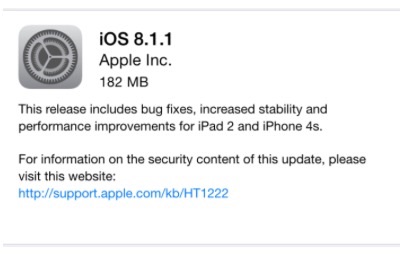
Relief is at hand, at last, for iPad2 users who have suffered through two months of sluggish, under-performing, and perpetually stalling tablets since installing September, 2014’s iOS 8 update.
Apple has this week released iOS 8.1.1, an operating system update that magically restores speed and luster to its older mobile devices, including the iPad 2 and the iPhone 4.
After installing the update Wednesday morning, I noted my iPad 2’s immediate resurrection to useful and pleasing life. Its performance has returned to its pre-iOS 8 level, which was always pretty good – good enough for me to resist the temptation of any of the more recent iPad incarnations.
Numerous media reports confirm across-the-board improvement in mobile performance on older devices after installation of this update (see: Apple Releases iOS 8.1.1, It’s An Essential Update, from Forbes, for example).
iOS 8.1.1 therefore gets an unreserved two thumbs up.
Today’s Tip: If you have been having issues with your older Apple devices since installing iOS 8 or 8.1, this new update will solve your problems. Install it, with all due haste!
– Garry J. Wise, Toronto (@wiselaw on Twitter)
Posted on November 20th, 2014 - Editor: Garry J. Wise
—
Dragon Dictate & Dragon for the Mac
♫ It doesn’t have to be like this
All we need to do is make sure we keep talking…♫
Lyrics and music by: David Gilmour, Richard Wright and Polly Samson, recorded by Pink Floyd.


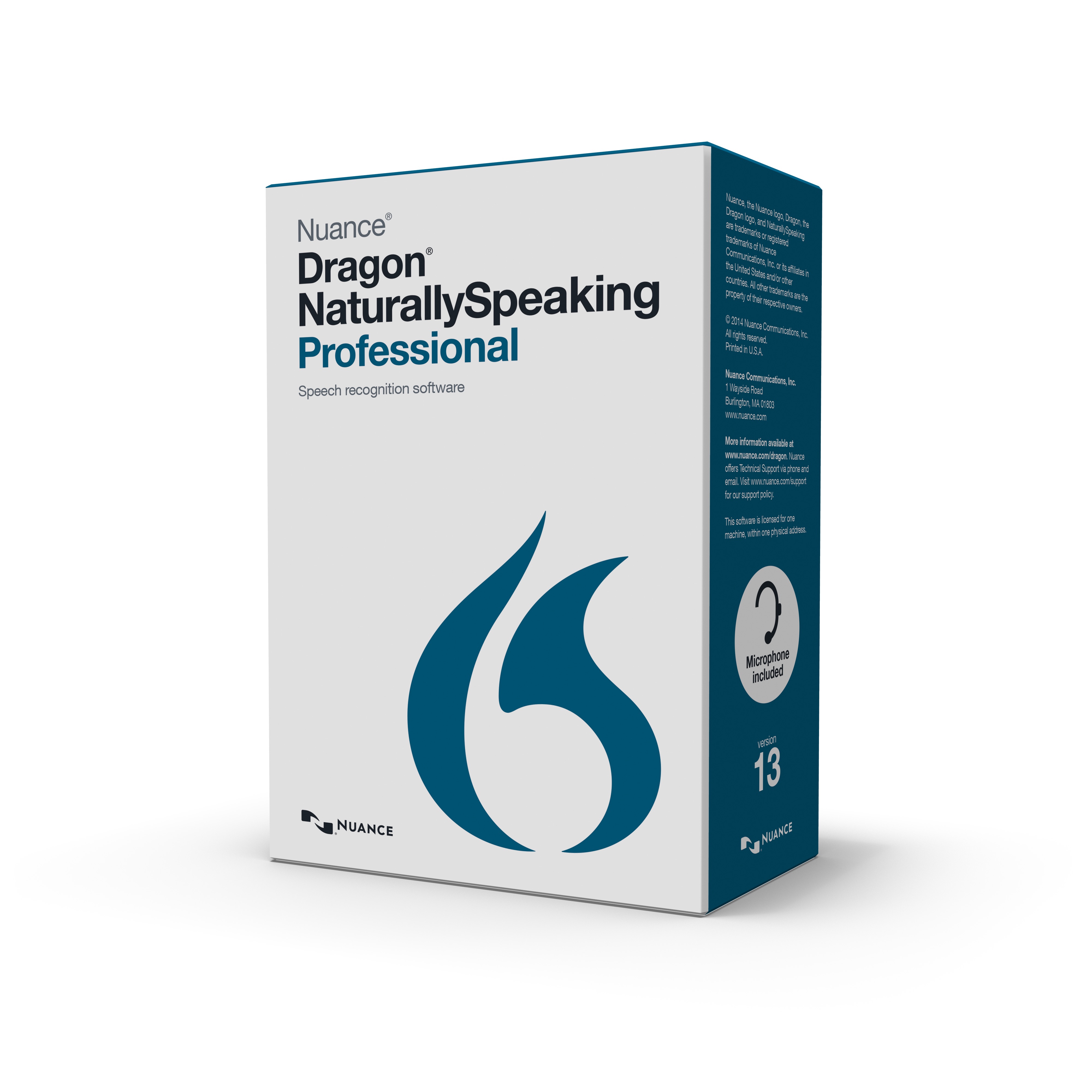
Garry’s last post inspired me to write about using dictation on both PCs and Macs. I have been a long-standing fan of voice recognition and the latest versions are even much better than earlier versions. While there is voice recognition built into the Windows operating system, I haven’t seen it used in practice. Rather, I have found that people use DragonDictate for the PC, currently at version 13; or on the Mac, you can use either Dragon for the Mac, Version 4 or use the Dictation & Speech capabilities built into Yosemite. The best thing about the latest version of dictation in Yosemite is that you can download a file and use dictation what are you are on or off-line. This is a significant advantage over prior versions. It’s a matter fact that this column was “written”, if you can call it that, using Yosemite’s dictation capabilities. Another improvement in dictation in Yosemite is that you can use continuous dictation. Prior versions meant that you could only dictate up to the size of the buffer.
It is amazing how easy it is to use and I am referring to both Dragon Dictate for the PC as well as Dictation in Yosemite. I work on both platforms and use voice recognition on both.
Garry noted that he does most of his work either on an iPad or Microsoft Surface and barely touches his keyboard. I have to say my experience is much the same (except that I prefer laptops over tablets) and I agree that I am much faster using voice recognition than I am typing. Furthermore, voice recognition never misspells; but it could substitute a synonym or possibly a word recognized in error, in which case you still have to proofread your work. But it is literally amazing to to talk to your computer and see your text appear, correctly transcribed and formatted, on the screen.
Now DragonDictate for the PC is much more fully developed then Dictation for the Mac that is part of the OS. However, if all you need is dictation plus some formatting, then dictation for the Mac maybe just fine. I have written extensive papers for conferences using just dictation for the Mac. Why don’t I use DragonDictate for the Mac? Unfortunately, the versions of Dragon that I have, namely versions 2 and 3, are incompatible with Yosemite. I may upgrade but for the moment I’m happy with Dictation in Yosemite.
PC users would be delighted with all the additional commands that you get with Dragon for the PC. You can literally browse the web, save your work, apply detailed formatting and do much more by voice commands.
When it comes to interfacing with your computer it doesn’t have to come to just using a keyboard. All we have to do is make sure we keep talking…
-David J. Bilinsky, Vancouver.
Posted on November 13th, 2014 - Editor: David Bilinsky
—