







All Our Tips
Policies

It is pretty easy to remember to look for legislation that applies to an issue. In the legal research card game legislation trumps case law unless an argument can be made that the legislation is wrong or should in turn be trumped by some other legislation – the Charter is a Joker.
Some legal research arguments require a searcher to be aware of policies. All kinds of policy references appear in judicial decisions including this reference to Peter Hogg at para 107 of Canada (Attorney General) v. Bedford, 2013 SCC 72 (CanLII).
The doctrines of overbreadth, disproportionality and arbitrariness are all at bottom intended to address what Hamish Stewart calls “failures of instrumental rationality”, by which he means that the Court accepts the legislative objective, but scrutinizes the policy instrument enacted as the means to achieve the objective. If the policy instrument is not a rational means to achieve the objective, then the law is dysfunctional in terms of its own objective.
Today’s Tip: Remember to look for policies. Thanks to the Workers’ Compensation Board of Alberta for their email reminders of policy updates for inspiring this tip.

Speech Recognition – It Really, Really Works

 Yes, I acknowledge that the Tuesday Technology Tip this is supposed to be a general bite-sized tip that is practical and easy to implement. However, when I came across this post from my good friend Jim Calloway today, I felt obligated to share it on SLAW Tips. Speech Recognition – It Really, Really Works was posted on the Oklahoma Bar Association’s Management Assistance Program page.
This post is very practical as it answers most of the common questions I get about what is available in speech recognition for different devices and platforms. It has tons of tips on making the most of DragonDictate NaturallySpeaking. If you want to try speech recognition this post will get you started. If you are already using it, you will find some great tips to make it work better for you. Thanks Jim!
Don’t Be Fooled by a Phishing Scam
Did you know that emails appearing to come from companies you trust and know may actually be from criminals trying to steal your money or identity? Because they are so successful at duping people, “phishing” emails have quickly become one of the most common and devastating scams on the Internet.
Phishing scams use spoofed (meaning faked or hoax) emails and websites to trick you into revealing your personal and financial information. By using the trusted brands and logos of online retailers, banks, or credit card companies, phishing scammers trick surprisingly large numbers of people. The phishing email directs users to visit a website where they are asked to confirm or update personal information such as: passwords; and credit card, social insurance and bank account numbers. In doing so, people are tricked into giving this information directly to cyber criminals, who, in turn, use it for identity theft, financial theft or other cybercrimes.
Cyber criminals do their best to make phishing messages look official and legitimate. They will mimic real communications from the company or entity they are supposedly from by using the same layout, fonts, wording, message footers and copyright notices, etc. as official messages. They will often include corporate logos and even one or more links to the alleged sender’s real website.
To make it more likely you will fall for the scam, phishing messages commonly involve urgent scenarios. They may suggest that you must reset your password because your account has been compromised by hackers or they may request that you login to your account to review an invoice or deal with an outstanding payment. Another common phishing scam is a call from someone claiming to be from Microsoft who will tell you your computer is infected and that you must go to a special website to download an update that will fix the problem. Phishing scams can also be a request to complete a survey or to give information to collect a prize you have won. They can also be requests for money supposedly from someone you know who is allegedly stuck in a foreign city after being mugged.
Many phishing messages will include a link or attachment that you are asked to click so you can update your information. After doing so, the webpage or attachment you will see (which will also have text and logos to make it look official) will prompt you to enter your name, account number, password and other personal information – thereby giving it to cyber criminals.
To make matters worse, clicking on links or attachments in phishing messages often causes malware to be downloaded to your computer as well. Could it happen to you? Would you fall for a phishing scam? Always remember that legitimate companies will never ask you to update your personal information via an email message. Don’t get tricked by phishing scams. See the “Could it happen to you?” column in LAWPRO Magazine to learn how to recognize and avoid phishing scams.
Where Do You Go to Get Inspired?


Time to bare the soul time. There are days when all of us…and here I speak of no other than myself – get ground down by the daily grind: days where the simple acts of life seem to be oppressive and it is difficult to see the joy in life given all that you have to do. But all of us know that you can’t let this get you down. Silly really, given that we all live in a continent that brims with wealth and opportunity. We all know that you have to get up and set your eyes on the beauty in life, on the things that make life joyous, meaningful and truly bring value and meaning to others. You need to keep looking for ways that you can help others..since it is really in helping others that you truly help yourself.
So how do you get inspired? Everyone has their own method. Some meditate. Some find inspiration in nature and the outdoors. Some help out youngsters and see the joy that they take in life. Some head out on the roads and trails to run. Some do yoga. Others read.
But there are days when you can’t get outside or find a quiet place to meditate.
Speaking personally, I find inspiration in reading about people who have achieved great things or listening to inspiring talks. That is where TED comes in. www.ted.com, if you haven’t already visited it, is well worth your time. There you will find inspiring talks by some simply incredible people. Just this week I listened to Boyd Varty talking on “What I learned from Nelson Mandela” and his close encounter with a crocodile and how someone saved his life. Steve Jobs “How to live before You Die“, the commencement address at Stanford University, is a totally moving talk that I have listened to on several occasions. Steve talks about how you can only connect the dots looking back on life; on how you have to believe that the dots will connect going forward.
Then there is Mark Bezos on don’t wait until you make your first million to help someone in “A Life Lesson from a Volunteer Firefighter.”
Listen to the stories. Get inspired. And go out there and help someone.
Do the Down-Under Self-Audit
As we sign off on our Practice Tips for 2013, here’s a thought – if you have a bit of spare time on your hands over the break, why not complete a self audit of your firm – Aussie-style.
Australia’s Legal Services Commission makes it easy (and mandatory) with its online self-assessment audit form.
Addressing firm risk-management in areas including competency, communications, timeliness and delay, cost-disclosure, billing practices and termination of retainers, conflicts of interest, records management, undertakings, supervision of staff and practice, and trust fund handling, the Australian self-audit could afford you with a new window on the well-being of your firm – and help you to identify a few areas where your firm could do a bit better.
So that’s today’s tip: Do the Down-Under Self-Audit.
And perhaps, resolve for 2014 to implement a practice enhancement or two, based on the insights you glean.
– Garry J. Wise, Toronto
Parliamentary Documents
Researching federal legislation can be fascinating particularly historical legislation. The Canadian spirit of the times can gleaned from the content and context of our legislation. As frustrated ambivalent challenged as this might make you feel when reading the current debates, thankfully available on the wonderful LEGISinfo site, looking at debates from the past is both interesting and potentially useful for legal research.
This fall, the Library of Parliament, in collaboration with Canadiana.org, launched its Historical Debates of the Parliament of Canada digital portal.
The portal makes the debates of the House of Commons and the Senate for the 1st Parliament 1st Session (November 6, 1867-May 22, 2868) available for viewing through search and browse in both official languages.
What a lovely gift of Canadian heritage.
How You Can Reduce the Extreme Dangers of Using Public Computers
 Public computers in libraries, Internet cafes, airports, and copy shops are an extreme security risk. While you can take steps to reduce these risks, it is still very dangerous to access sensitive personal or client information on them. Start with the assumption that most public computers will have malware on them and let this govern your activities accordingly. The following steps can reduce some of the risks associated with public computers:
- Try to turn on the “private browsing” feature.
- Watch for over-the-shoulder thieves who may be peeking as you enter sensitive passwords to collect your information.
- Uncheck or disable the “remember me” or “log in automatically next time” option.
- Always log out of websites clicking “log out” on the site. It’s not enough to simply close the browser window or type in another address.
- Delete your temporary Internet files, cookies and your history.
- Never leave the computer unattended with sensitive information on the screen, even for a moment.
- Never save documents on a public computer.
These measures will provide some protection against a casual hacker who searches a public computer you have used for any information that may remain on it. But keep in mind, a more sophisticated hacker may have installed a keylogger to capture passwords and other personal information entered on a public computer. In this scenario the above steps won’t prevent your information from falling into the hands of the hacker. This is why it is not a good idea to access sensitive client information or enter credit card numbers or other banking information on a public computer.
This is an excerpt from the “Cybercrime and law firms” issue LAWRPO Magazine, published December, 2013.
Inbox Zero Part V
“ This is no time for ease and comfort. It is the time to dare and endure. ”
— Winston Churchill
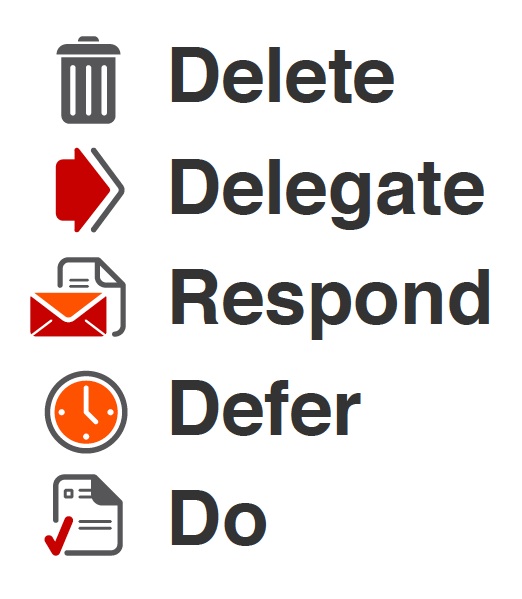
To continue our quest to inbox zero, here are further tips to attaining Maslow’s self-actualization by reaching the seemingly stratospheric and elusive high-ground of Inbox Zero:
- Make the most of your time: OK, so you are standing in a lineup at the checkstand (typical with Christmas shopping at this time of year). Open your Smartphone and start zapping emails…
- Get creative with Labels. Create folders with names that are relevant to you such as “travel” or “family” or “events” and file incoming emails into the relevant folder. Get rid of the emails from your Inbox!!
- OK – admit it. You are a procrastinator…(or at least I am)…and take a deep breath there are tons of things that You Would Rather Be Doing than spending time dealing with the dregs in your Inbox. This is where all those Psychology classes that you took come in…positive reinforcement and all that….remember? You need to create a reward for yourself for spending 15 mins dealing with those bleeping emails. Set the reward. Set the timer.. now ..GO. Get as many emails dealt with as you can in the 15 mins and then ….give yourself the reward. GOOD. Now …honestly – how do you feel? Wonderful? Satisfied? Remember that. And do it ..often…!! Reward yourself for doing what you know that you need to do…
- Make Appointments with Yourself. Yes we have mentioned this before..but we think that this is an important one. Take emails that will take time and “drag and drop” them into your calendar (most email apps will allow you to do this ..if not..just block and copy). This way you have made a commitment to..yourself..to deal with it. Do it!!!! The important factor here is to commit to setting aside time to deal with this matter by making a personal appointment with yourself. Do you want to disappoint yourself? No? Good. Now do the follow thru!!
- Remember those nice emails from well-minded people that just want you to ….STOP. Right now! These people are stealing time from you …and playing a guilt trip at the same time. You have NO obligation to do anything with an email that you have been sent from someone you don’t really know who just asks you to to something not on your To Do List for today….You are the ultimate gatekeeper on your time. Hit the delete key. I betcha you will NEVER hear from these people again.(for better or worse…). Don’t let other people control your life or your tasks or your sense of what is important for you to do today.
- Make a Plan: take your day and decide what is important for you to do TODAY. Stick to it. If the emails in your email box don’t fit in what you need or must or want do deal with …stick them into a ‘suspense’ folder …or just delete them if they are not relevant to a file (and if they are, put them in that folder for that file and create a to do to deal with them..later). Your success in life is determined by what you do ..and that is based on your list of the most important items in your to do list. Look at your Inbox..if the matters there don’t fit in your Plan ..you have a decision to make.. but don’t agonize over it…Do it ..and MOVE ON!!
- OK the kicker: Once you open an email – don’t just close it. Deal. With. It. Now. Decide: is this something I must deal with NOW; should I schedule a time or is it simply a time sink and something to ignore? Now? Later? Never? Decide!!!!! And stick with it.
- The Bitter End: The fact is that I am guilty of all of these things..and more to boot. It takes diligence and patience and lots of positive reinforcement to change behaviours that have become engrained. I know it isn’t going to happen overnight. But it will happen if you if you are diligent. If we are going to attain the rarified heights of inbox zero, this is no time for ease and comfort. It is the time to dare and endure…
Attend Vendor Delivered Training
The people who know most about what features a product has are the people who made it.
Despite our constant practice using the information tools that we subscribe to and use, the library team members at my firm take opportunities to attend training sessions offered by our vendor and industry partners. Whether it is a YouTube video, a webinar, a demo at a conference, or a visit to an exhibit hall booth, there is always something new to take in.
Today’s Tip applies to research tools, but equally to any software. Hat Tip to my document management provider, Worldox, for the excellent short webinar this afternoon. I have a new plan for promoting tagging of research saved on a file!
All the Accounts You Should Enable Two-Factor Authentication on Right Now
I have given this tip before, but it is worth giving again (thanks to the nudge in this LifeHacker post): Two-factor authentication is one of the best things you can do to make sure your online accounts are more secure and don’t get hacked. More and more popular services are offering it, including: Facebook, LinkedIn, Google/Gmail, BlackBerry, Yahoo, Apple, Microsoft, Amazon web services, PayPal, Dropbox, Hootsuite, Twitter, Evernote, WordPress and LastPass.
Two-factor authentication is a feature that asks for more than just your password. It requires both something you know (a password) and something you have (for example, your phone). After you enter your password, you’ll get a second code sent to your phone, and only after you enter it will you get into your account. It’s a lot more secure than a password and can help keep hackers out of your online accounts. If you use any of the above services, enable two-factor authentication right now.
See this LifeHacker post for more info and a video that demos it: Here’s Everywhere You Should Enable Two-Factor Authentication Right Now.


